Teleprompter app that follows your voice on iPhone
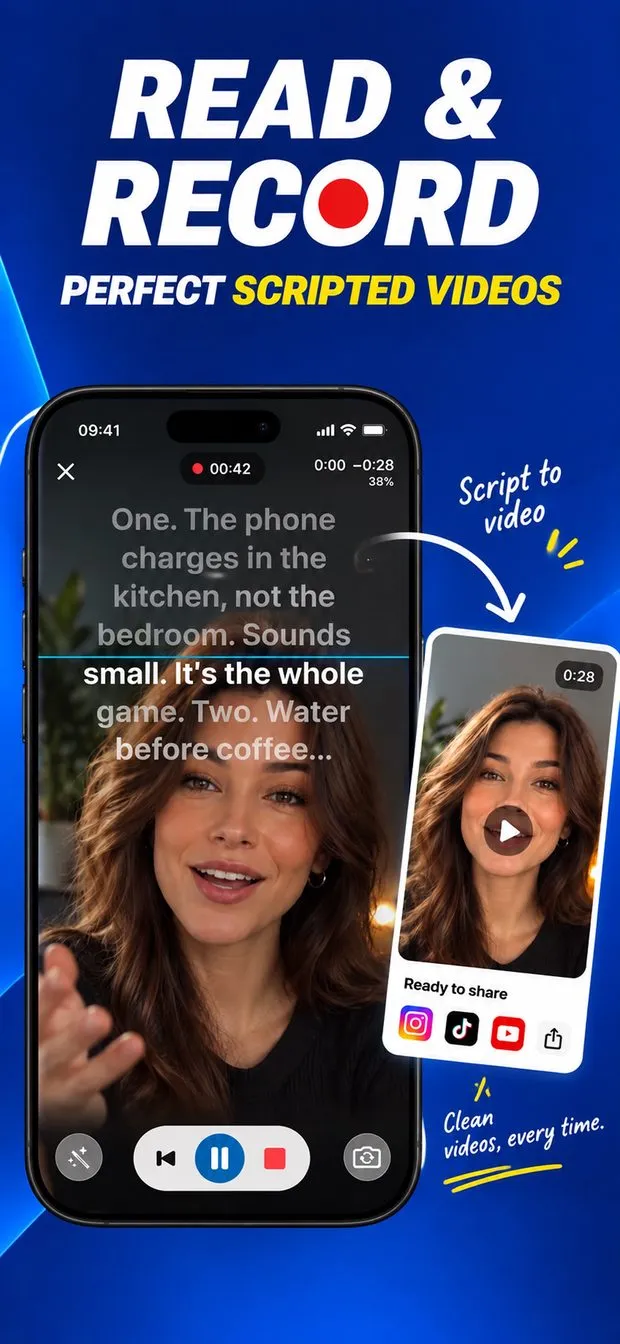
Most teleprompters scroll at a fixed speed, so you either chase the text or wait for it. Teleprompter: Script to Video gives you three ways to pace a read. Fixed speed is a steady rate you set. Finish on time works backwards from a length you choose, so the script lands exactly on it. Follow my voice listens while you talk: the script moves as you speak and waits when you pause.
Voice scrolling works in dozens of languages. It keeps its place when you skip a paragraph or go back to retake a line, and it does not race ahead on its own. For a scripted video, that is the difference between reading and sounding like you are reading.
How to read a script while recording video on iPhone
Open a script and switch to the camera. The text sits at the top of the screen, right under the front camera, so your eyes stay close to the lens and your face stays in frame below it. You can also film with the back camera. Choose 720p, 1080p or 4K, with or without sound, and a countdown runs before every take.
Takes go to the app's Recordings tab or straight to Photos. Any take can become an .srt caption file, ready to upload alongside the video on YouTube or to drop into an editor. A reading guide (a line, a band, arrows or a focus effect) keeps your eyes on the right line, and cue points mark or pause the moments that matter.
Teleprompter with a Bluetooth remote, foot pedal or keyboard
When you are on camera, touching the phone breaks the shot. The app takes input from Bluetooth presentation remotes, foot pedals, keyboards, game controllers and Siri Remote. With a keyboard, single keys cover the common actions: Space to play or pause, R to restart from the top, the arrow keys to scroll faster or slower, plus and minus for text size, brackets to jump between cue points, C to start or stop recording and M to toggle the mirror.
For a speaker or a studio, send a clean feed of the script to a second screen over AirPlay or HDMI while you control it from the phone.
Mirror mode for a beam-splitter teleprompter rig
A glass teleprompter rig puts a half-silvered mirror at 45 degrees in front of the camera: the camera films through it and you read the script reflected on it. The reflection reverses the text, so the app's mirror setting flips it back, and flip turns it upside down for rigs that mount the phone that way. Font, size, line spacing, margins, colours and background opacity are all adjustable, which matters when the text is read off glass from a distance.
If you are not using a rig, leave mirror off: reading straight from the phone under the front camera is the simpler setup.
Is the Teleprompter app free, and what does Pro add?
Everything in the prompter is free, including recording, voice scrolling and remote control, with one script of your own. Teleprompter Pro adds unlimited scripts and importing scripts from PDF, Word, RTF and text files. Pro is offered as an auto-renewing subscription or as a one-time lifetime purchase.
Scripts are written in a rich-text editor with bold, italic, underline, colours and highlighted lines, organised with folders, favorites and search, and exported as text, RTF or PDF. The app runs on iPhone with iOS 16 or later and is a 12.6 MB download.