Spanish Conversation Practice app icon
Education · Travel · Free

Spanish Conversation Practice app: 142 real dialogues, fully offline

Hear how people really talk, read every line in your language, then answer the other side.

  • Free · In-app purchases
  • iPhone · iOS 15+
  • 194.4 MB
  • Age 4+
  • Updated September 2026
  • English

Screenshots

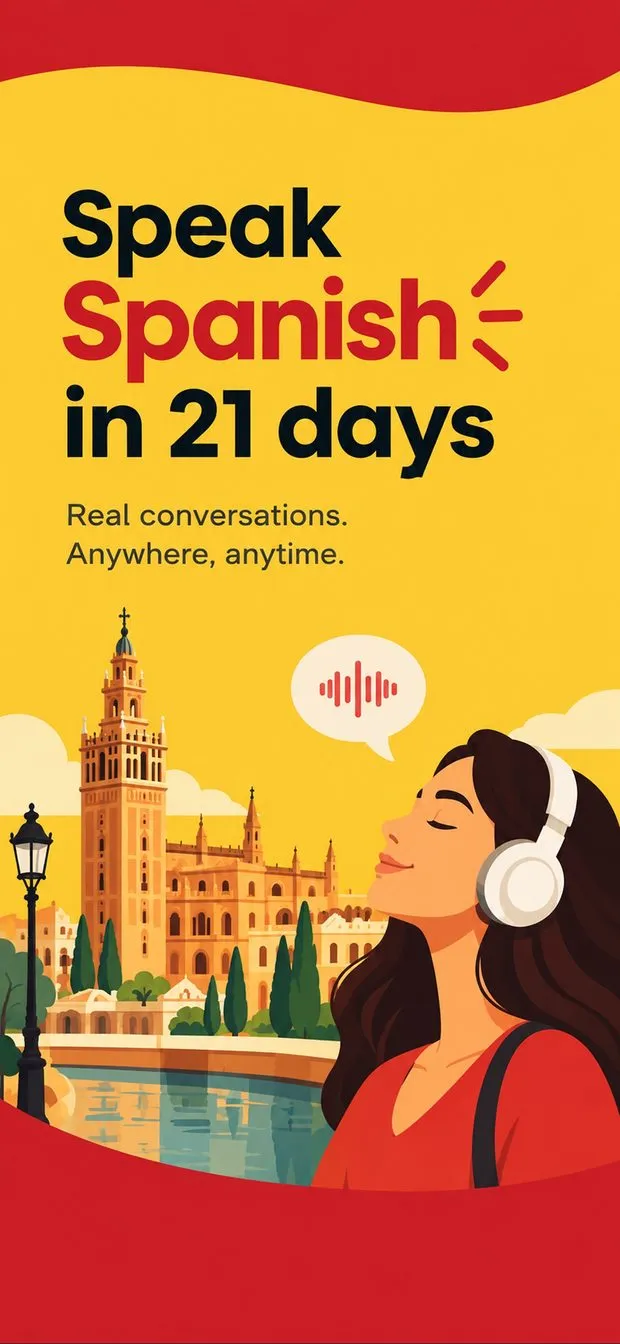
Spanish Conversation Practice cover art: woman in headphones by a Spanish cathedral tower, with an audio-wave speech bubble
Conversations home screen: Short Stories cards (flight attendant, tap water), Short Stories Interactive row and Long Stories
Late check-out dialogue: Spanish lines with English translation under each, player at Line 1/17 with 1x speed and Aa buttons
Interactive mode for “Asking for tap water”: dialogue lines with play buttons and a prompt to select the correct response
List tab with Travel, Hotel, Dining, Shopping, Social, Business and Health categories, conversation counts and progress rings
Travel list: flight attendant, customs, changing seats, taxi stand and security dialogues, each with Listen and Practice
Conversations home screen in dark mode showing late check-out and security check story cards and the interactive row

Spanish Conversation at a glance

Developer
Burak Köse, independent
Platform
iPhone · iOS 15 or later
Core use case
142 real Spanish dialogues with audio, translations in 10 languages, offline
Key differentiator
142 dialogues at natural speed
Account
None needed
Internet
Works offline
Your data
See the privacy policy
Pricing
Free download · optional in-app purchases
Version
1.0 · September 2026 · 194.4 MB
Download
App Store

The Spanish Conversation Practice app for iPhone has 142 everyday Spanish dialogues, each spoken at natural speed with audio on every line and a translation underneath in one of 10 languages. It is for learners who can read textbook Spanish but lose the thread when a hotel clerk or waiter talks at full speed. Every conversation and audio clip is stored on the phone, so it works with no signal.

142 dialogues at natural speed

Hotel check-in, ordering at a restaurant, a job interview, small talk over coffee: 142 conversations across 9 real-life categories, spoken the way people talk.

Audio on every single line

Play any line, slow it down, jump back and replay one sentence until it clicks. The player shows elapsed time, the line you are on, and the speed.

Translation under every line

Choose your language once when you open the app and each Spanish line carries its translation underneath. 10 languages are available.

Interactive mode: you answer

Practice drops you into the dialogue. Pick the correct reply from a short list, hear how it should sound, and work through the whole conversation.

Spanish conversation practice app with real-life dialogues and audio

Spanish Conversation Practice is built around 142 dialogues that happen in real life: checking into a hotel, ordering at a restaurant, a job interview, small talk over coffee, asking a flight attendant for water, going through security check. They are spoken at natural speed rather than the slowed-down pace of a textbook recording, because the point is Spanish listening comprehension: learning Spanish by listening to conversations the way people actually talk. Every single line has its own audio clip.

The library is split into 9 categories. Seven are visible on the List screen: Travel (23 conversations), Hotel (16), Dining (20), Shopping (16), Social (20), Business (18) and Health (12), each with a progress ring showing how many you have finished. On the home screen the same dialogues are grouped into Short Stories, Short Stories Interactive and Long Stories, with the category and running time under each card; the short stories shown run from 53 seconds to 1:12.

How to practice speaking Spanish alone, without a tutor or partner

The usual advice for learners with nobody to talk to is to shadow native audio and answer out loud. Interactive mode gives that a structure. Open any conversation, tap Practice, and the app drops you into the dialogue as one of the speakers. At your turn it asks you to select the correct response from a short list; when you pick, you hear how that line should sound, and the conversation moves on.

Because every reply has audio, you can say it out loud right after the recording and compare. Work through the same conversation until the phrases come without thinking, then move to the next one; interactive practice is available on every one of the 142 conversations. It is a scripted role-play with real audio, not an AI tutor. That is what you want the night before a trip, rehearsing a late check-out request or a customs officer's questions. Interactive mode is unlocked by the premium subscription.

Spanish listening practice app that works offline, with no account

Every conversation and every audio clip is stored on the iPhone. That is why the download is 194.4 MB, and it is also why the app keeps working on a plane, in the subway, or abroad with no data plan: nothing streams, so nothing buffers. There is no account and no sign-up. You open the app, choose your translation language once, and start listening.

The player is built for repetition. Under each dialogue a bar shows the title, the elapsed time and which line you are on (Line 1/17, for example), with rewind, pause and forward buttons, a speed button that starts at 1x, and an Aa button for text size. Slow a line down, jump back a sentence, replay it until it clicks. Progress is tracked per category, and there is a dark mode.

  • 142 conversations and all audio stored on the device
  • No account, no sign-up, no data connection needed
  • Adjustable playback speed and single-sentence replay
  • Progress tracked per category with a percentage ring
  • Dark mode

Spanish for travel app with airport, hotel and restaurant dialogues

The Travel category alone holds 23 conversations: asking a flight attendant for water, customs officer questions, changing seats on the plane, asking where the taxi stand is, going through security check. Hotel adds 16 more, including requesting a late check-out, and Dining has 20, from asking for tap water to ordering at a restaurant. Shopping, Social, Business and Health cover the rest of an ordinary day abroad.

Each dialogue is a full exchange with both sides recorded, so you hear the question you will be asked as well as the reply you will give. The translation under every sentence means you can follow a conversation you have never seen before, and because everything works offline you can run through the airport dialogues on the flight over and the hotel ones in the taxi from the airport. The app is listed under both Education and Travel on the App Store.

Spanish dialogues with line-by-line translation in 10 languages

Every Spanish line has its translation printed underneath in smaller gray type, in the language you chose when you first opened the app. 10 languages are available, so learners whose first language is not English can read the dialogues in their own language instead of translating twice. The interface itself is in English.

The layout keeps the Spanish dominant: large serif text for the dialogue, the translation in a lighter line below, and speakers alternating left and right like a chat thread. You can read along while the audio plays, or listen first and glance at the translation only when a line loses you. Because the translation sits directly under the audio line rather than on a separate screen, the loop of hear, check and replay takes one tap, not a trip through a menu.

How it works

How to practice a Spanish conversation with Spanish Conversation Practice

  1. Choose your translation language

    When you first open the app, pick the language you want under each Spanish line. 10 languages are available, and you choose once.

  2. Pick a conversation

    Browse Short Stories and Long Stories on the home screen, or open the List tab and choose a category such as Travel, Hotel or Dining.

  3. Listen at natural speed

    Tap Listen. Every line plays with audio; use the speed button to slow it down and the rewind button to replay a single sentence.

  4. Read the translation

    Check the translation printed under any line you did not catch, then replay that line until you can follow it without reading.

  5. Answer the other side

    Tap Practice to enter Interactive mode. At your turn, select the correct response, hear how it should sound, and continue to the end.

  6. Track your progress

    Finished conversations count toward the progress ring on each category in the List tab, so you can see which situations still need work.

Made for

Who Spanish Conversation is for

Trip to Spain or Latin America

Run the Travel, Hotel and Dining dialogues on the flight over; every clip plays with no data connection.

Job interview in Spanish

The library includes a job interview dialogue. Listen, read the translation, then answer the other side in Practice.

Understanding fast speakers

Dialogues are recorded at natural speed. Slow one down, then work back up to 1x until you can follow without text.

Commute study with no signal

Everything is stored on the phone, so the subway or a plane is still practice time. No account, no sign-up.

Between tutor lessons

Use Interactive mode to say the other side of a conversation out loud when there is nobody to practice with.

Pricing

What is free and what Premium adds

Free No account

  • Free to download from the App Store, no upfront price
  • Part of the 142-conversation library in Listen mode, with audio on every line
  • Line-by-line translation in your choice of 10 languages
  • Adjustable playback speed and single-sentence replay
  • Everything stored on the device; works offline with no account

Premium In-app purchase

  • A subscription unlocks the full library of 142 conversations
  • Interactive practice mode on every conversation
  • Renews automatically unless cancelled at least 24 hours before the end of the current period
  • Managed or cancelled in your Apple Account settings; prices vary by region and can change

Offered as an auto-renewing subscription or a one-time purchase where available. Prices are shown in the app and vary by region.

Information

Spanish Conversation Practice at a glance

Developer
Burak Köse
Category
Education, Travel
Price
Free, with in-app purchases
Compatibility
iPhone · Requires iOS 15 or later
Size
194.4 MB
Languages
English
Age rating
4+
Version
1.0 · updated September 14, 2026
First released
September 14, 2026
App Store
Spanish Conversation Practice
Privacy policy
burakkose.me/privacy
Support
info.bk.apps@gmail.com
FAQ

Spanish Conversation — frequently asked questions

Is Spanish Conversation Practice free, or does it need a subscription?

Spanish Conversation Practice is free to download on the iPhone App Store and offers a subscription. According to the App Store description, the subscription unlocks the full library of 142 conversations and Interactive practice mode; listening with audio and line-by-line translation is available without it on part of the library. Prices vary by region and change, so check the store page.

Does Spanish Conversation Practice work offline?

Yes. Every conversation and every audio clip is stored on the iPhone, which is why the app is a 194.4 MB download. Dialogues, audio, translations and Interactive mode all run without a connection, so it works on a plane, in the subway, or abroad with no data plan. There is no account and no sign-up.

How many Spanish dialogues are in Spanish Conversation Practice?

There are 142 dialogues across 9 real-life categories, every one with audio on each line. The categories visible on the List screen include Travel (23 conversations), Hotel (16), Dining (20), Shopping (16), Social (20), Business (18) and Health (12). Situations include checking into a hotel, ordering at a restaurant, a job interview and small talk over coffee.

Can I slow down the Spanish audio and replay one sentence?

Yes. Playback speed is adjustable from a speed button in the player, which starts at 1x, and you can jump back to replay a single sentence as many times as you need. The player bar also shows the elapsed time and which line of the dialogue is playing, for example Line 1/17, so you always know where you are.

What is Interactive mode in Spanish Conversation Practice?

Interactive mode is a role-play available on every one of the 142 conversations. The app plays the other speaker, and at your turn asks you to select the correct response from a short list. When you choose, you hear how that line should sound and the dialogue continues. It is scripted with real audio, not an AI chat, and it is unlocked by the premium subscription.

Which languages are the translations available in?

Each Spanish line shows a translation underneath in a language you choose once when you first open the app; 10 languages are available. The App Store description does not list them by name. The interface itself is in English only, so the 10 languages apply to the dialogue translations, not to the app's menus and buttons.

Is Spanish Conversation Practice available on Android or iPad?

No. Spanish Conversation Practice is an iPhone-only app. It requires iOS 15.0 or later, has no iPad-optimized layout and no Android version, and carries a 4+ age rating. If you learn on an Android phone or want a tablet layout, this app will not cover that; it is built for the phone you carry when you travel.

Is Spanish Conversation Practice for beginners or intermediate learners?

The App Store description does not assign a CEFR level. The dialogues are recorded at natural native speed, which suits intermediate learners working on listening, while the translation under every line and the adjustable playback speed make the same dialogues usable earlier. Conversations are grouped into Short Stories and Long Stories, so you can start with the shorter ones.